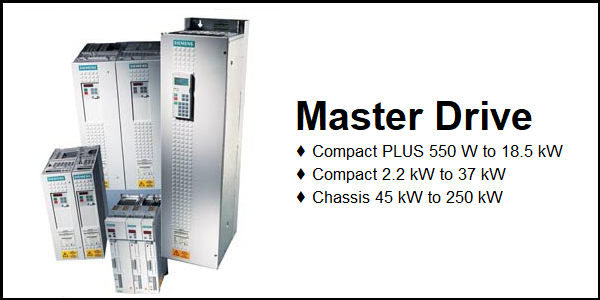
Download Links
 Download Manual Download Manual |
Faults & Alarms
Search from below list for Master drive faults & alarms:
| Fault Codes | Cause & Solution |
|---|---|
| F001 Main contactor checkback | Cause: The monitoring time of the main contactor checkback (P600) has expired. Solution: – Check main contactor checkback – Clear main contactor checkback (P591.B = 0) – Increase monitoring time (P600) |
| F002 Pre-charging fault | Cause: The monitoring time of pre-charging has expired, i.e. the DC link voltage has not reached the setpoint within 3 secs. Solution: – Check voltage connection (AC or DC) – Unit-dependent: Check fuses – Compare value in P070 and unit MLFB |
| F006 DC link overvoltage | Cause: Due to excessive DC link voltage, shutdown has occurred. The rated value of the shutdown threshold is 819 V. Due to component tolerances shutdown can take place in the range from 803 V to 835 V. In the fault value the DC link voltage upon occurence of the fault is indicated (normalization 0x7FFF corresponds to 1000V) Solution: 1. Check the line voltage (AC-AC) or the input direct voltage (DC-AC). Compare value with P071 (Line Volts) |
| F008 DC link undervoltage | Cause: The lower limit value of 76% of the DC link voltage has been fallen short of. In the fault value the DC link voltage upon occurence of the fault is indicated (normalization 0x7FFF corresponds to 1000V) Solution: – Check the line voltage (AC-AC) or the input direct voltage (DC-AC). Compare value with P071 (Line Volts) – Check input rectifier (AC-AC) – Check DC link |
| F011 Overcurrent | Cause: – Overcurrent shutdown has occurred. – The shutdown threshold has been exceeded. – The phase in which an overcurrent has occurred is indicated in a bit-coded manner in the fault value (see P949). 1. Phase U –> Bit 0 = 1–> fault value = 1 2. Phase V –> Bit 1 = 1–> fault value = 2 3. Phase W–> Bit 2 = 1–> fault value = 4 – If an overcurrent occurs simultaneously in several phases, the total of the fault values of the phases concerned is the resulting fault value. Solution: – Check the converter output for short-circuit or earth fault – Check the load for an overload condition – Check whether motor and converter are correctly matched – Check whether the dynamic requirements are too high |
| F015 Motor blocked | Cause: – Motor is blocked/overloaded (current control), or has stalled (v/f characteristic): – Static load is too high – The fault is not generated until after the time entered in P805. – Binector B0156 is set, in status word 2 r553 Bit 28. – Whether the drive is blocked or not can be detected at P792 (Perm Deviation) and P794. – P806 enables detection to be limited to “at standstill” (P806 = 1, only for current control) or to be completely de-activated (P806 = 2). In the case of current control, the precondition for this fault is that the torque limits (B0234) have been reached. – In the case of slave drive, detection is de- activated. – In the case of v/f control, the I(max) controller must be active. Solution: – Reduce the load – Release the brake – Increase current limits – Increase P805 Blocking Time – Increase the response threshold for the permissible deviation P792 – Increase torque limits or torque setpoint – Check connection of motor phases including correct phase assignment/sequence v/f characteristic only: – Reduce rate of acceleration – Check characteristic setting. |
| F017 SAFE STOP | Cause: SAFE STOP operating or failure of the 24 V power supply during operation (only for Compact PLUS units). Solution: Jumper applied for SAFE STOP? SAFE STOP checkback connected? On Compact PLUS units: check 24 V supply. |
| F020 Excess temperature of motor | Cause: The motor temperature limit value has been exceeded. r949 = 1 Motor temperature limit value exceeded r949 = 2 Short-circuit in the motor temperature sensor cable or sensor defective r949 = 4 Wire break of motor temperature sensor cable or sensor defective Solution: – Temperature threshold adjustable in P381! – P131 = 0 -> fault de-activated – Check the motor (load, ventilation etc.) – The current motor temperature can be read in r009 (Motor Temperat.) – Check the sensor for cable break, short- circuit |
| F021 Motor I2t | Cause: Parameterized limit value of the I2t monitoring for the motor (P384.002) has been exceeded Solution: – Check: Thermal time constant of motor P383 Mot ThermT-Const or motor I2t load limit P384.002. – The I2t monitoring for the motor is automatically activated if P383 >=100s (=factory setting) and P381 > 220°C is set. – Monitoring can be switched off by setting a value <100s in P383. |
| F023 Excess temperature of inverter | Cause: The limit value of the inverter temperature has been exceeded Solution: – Measure the air intake and ambient temperature (Observe minimum and maximum ambient temperature from 0°C to 45°C!) – Observe the derating curves at theta > 45 °C (Compact PLUS) or 40 °C – Check whether the fan is running – Check that the air entry and discharge openings are not restricted – In the case of units >= 22 kW acknowledgement is only possible after 1 minute |
| F025 UCE upper switch/UCE Phase L1 | Cause: – For Compact PLUS units: UCE upper switch – For chassis type units: UCE Phase L1 Soultion: – Check the converter outputs for earth fault – Check the switch for “SAFE STOP” on Compact units |
| F026 UCE lower switch/UCE Phase L2 | Cause: – For Compact PLUS units: UCE lower switch – For Compact and chassis type units: UCE Phase L2 Solution: – Check the converter outputs for earth fault – Check the switch for “SAFE STOP” on Compact units |
| F027 Pulse resistor fault / UCE Phase L3 | Cause: – For Compact PLUS AC/AC units: Pulse resistance fault – For chassis type units: UCE Phase L3 Solution: – Check the converter outputs for earth fault – Check the switch for “SAFE STOP” on – Compact DC/DC units and chassis units with the option “SAFE STOP” |
| F029 Meas. value sensing | Cause: A fault has occurred in the measured value sensing system: – (r949 = 1) Offset adjustment in phase L1 not possible – (r949 = 2) Offset adjustment in phase L3 not possible. – (r949 = 3) Offset adjustment in phases L1 and L3 not possible. – (r949=65) Autom. Adjustment of the analog inputs is not possible Solution: – Fault in measured value sensing – Fault in power section (valve cannot block) – Fault on CU |
| F035 External fault 1 | Cause: Parameterizable external fault input 1 has been activated. Solution: – Check whether there is an external fault – Check whether the cable to the corresponding digital output is interrupted – P575 (Src No ExtFault1) |
| F036 External fault 2 | Cause: Parameterizable external fault input 2 has been activated. Solution: – Check whether there is an external fault – Check whether the cable to the corresponding digital output is interrupted – P576 (Src No ExtFault2). |
| F038 Voltage OFF during parameter storage | Cause: A voltage failure has occurred during a parameter task. Solution: Re-enter the parameter. The number of the parameter concerned is indicated in fault value r949. |
| F040 Internal fault of sequence control | Cause: Incorrect operating status. Solution: Replace the control board (CUMC) or the unit (Compact PUS). |
| F041 EEPROM fault | Cause: A fault has occurred during the storage of values in the EEPROM. Solution: 1. Replace the control board (CUMC) or the unit (Compact PLUS). 2. There is an hardware or software issue in drive. Need to repair or replace drive. |
| F042 Time slot overflow | Cause: The available calculating time of the time slot has been exceeded. At least 10 failures of time slots T2, T3, T4 or T5 (see also parameter r829.2 to r829.5) Solution: – Reduce pulse frequency – Calculate individual blocks in a slower sampling time – The technology functions Synchronization (U953.33) and Positioning (U953.32) must not be enabled at the same time. |
| F043 DSP link | Cause: The link to the internal signal processor is interrupted Solution: – Reduce pulse frequency (perhaps caused by calculating time overflow) – If fault re-occurs, replace the board/unit The pulse frequency P340 should not be adjusted to values larger than 7.5 kHz (for 60MHz – DSP) or 6 kHz (for 40MHz – DSP). If higher values are set, indices 12 to 19 have to be checked on visualization parameter r829. The indicated free calculating time of the DSP time slots always have to be greater than zero. If the calculating time is exceeded, this is also displayed by fault F043 (DSP coupling). Remedy: Reduce pulse frequency (P340) |
| F044 BICO manager fault | Cause: A fault has occurred in the softwiring of binectors and connectors Solution: Fault value r949: >1000: Fault during connector softwiring >2000: Fault during binector softwiring – Voltage OFF and ON – Factory setting and new parameterization – Exchange the board 1028:Link memory is full. The link area between the two processors is full. No further connectors can be transferred. – Reduction of the linked connections between the two processors. Interface between the two processors is position control/setpoint conditioning i.e.softwires from and to the setpoint conditioning, position controller, speed controller, torque interface and current controller which are not necessary should be dissolved to reduce the link (value 0). |
| F045 HW fault on optional boards | Cause: A hardware fault has occurred during access to an optional board. Solution: – Replace CU board (Compact, chassis units) – Replace the unit (Compact PLUS) – Check the connection betewen the subrack and the optional boards – Replace optional boards. |
| F046 Parameter coupling fault | Cause: A fault has occurred during the transfer of parameters to the DSP. Solution: 1. If fault re-occurs, replace the board/unit. 2. There is an hardware or software issue in drive. Need to repair or replace drive. |
| F051 Encoder fault | Cause: – Signal amplitude of resolver or encoder is below the tolerance threshold – Power supply faults in the case of encoders and multiturn encoders – In the case of multiturn encoders (SSI/Endat), connection fault of the serial protocol Solution: Fault value r949: 10th and 1st position: 9 = Resolver signal missing (sin/cos track) 20 = Position error: Alarm A18 was generated during the change to the “operation” state. (For remedial action see 29) 21 = A/B track undervoltage: Root(A^2+B^2)<0.01V (For remedial action see 29) 22 = A/B track overvoltage: Root(A^2+B^2)>1.45V (For remedial action see 29) 25 = Encoder initial position not recognized (C/D track missing) – Check encoder cable (faulty / interrupted)? – Correct encoder type parameterized? – Is the correct cable used for encoder or multiturn encoder? Encoders and multiturn encoders need different cables! – Encoder faulty? 26 = Encoder zero pulse outside the permitted range 27 = No encoder zero pulse has occurred 28 = Encoder/multiturn Voltage supply Encoder fault – Short-circuit in encoder connection? – Encoder faulty? – Encoder incorrectly connected up? !!!Power off/on or in drive settings and back to new initialization of the starting position!!! 29 = A/B track undervoltage: In the zero passage of one track the amount of the other track was less than 0.025 V – Check encoder cable (faulty/torn off)? – Is shield of encoder cable connected ? – Encoder faulty? – Replace SBR/SBM – Replace unit or basic board – Is the correct cable being used in each case for the encoder/multiturn encoder?`Encoders and multiturn encoders require different encoder cables! !!!Power off/on or in drive settings and back to new initialization of the starting position!!! Multiturn (SSI/EnDat): 30: Protocol fault CRC/Parity Check (EnDat) 31: Timeout Protocol (EnDat) 32: No-load level error, data line (SSI/EnDat) 33: Initialization of timeout – Check parameterization (P149) – Check encoder cable (faulty / torn off? – Encoder cable shield connected ? – Encoder faulty? – Replace SBR/SBM – Replace unit or basic board 34: Address wrong (only EnDat) – Writing or reading of parameters not successful, check address and MRS code (P149) 35: The difference between the serial protocol and the pulse counter is greater than 0xFFFF (2^16). A possible fault may be a jump in the serial protocol. The fault can only be generated if an absolute encoder with incremental tracks (P149.01/.06 = X1XX) and multiturn portion is concerned. (EnDat) 40: Alarm, lighting, EnDat encoder 41: Alarm, signal amplitude, EnDat encoder 42: Alarm. position value, EnDat encoder 43: Alarm, overvoltage, EnDat encoder 44: Alarm, undervoltage, EnDat encoder 45: Alarm, overcurrent, EnDat encoder 46: Alarm, battery failure, EnDat encoder 49: Alarm, check sum error, EnDat encoder 60: SSI protocol faulty (see P143) 100th position: 0xx: Motor encoder faulty 1xx: External encoder faulty 1000th position: (from V1.50) 1xxx: Frequency exceeded, EnDat encoder 2xxx: Temperature, EnDat encoder 3xxx: Control reserve, light, EnDat encoder 4xxx: Battery charge, EnDat encoder 5xxx: Home point not reached |
| F054 Encoder board initialization fault | Cause: A fault has occurred during initialization of the encoder board. Solution: Fault value r949: 1: Board code is incorrect 2: TSY not compatible 3: SBP not compatible 4: SBR not compatible 5: SBM not compatible (from V2.0 only the SBM2 board is supported; see also r826 function diagram 517) 6: SBM initialization timeout 7: Board double 20: TSY board double 21: SBR board double 23: SBM board three-fold 24: SBP board three-fold 30: SBR board slot incorrect 31: SBM board slot incorrect 32: SBP board slot incorrect 40: SBR board not present 41: SBM board not present 42: SBP board not present 50: Three encoder boards or two encoder boards, none of them on Slot C 60: internal fault |
| F056 SIMOLINK telegram failure | Cause: Communication on the SIMOLINK ring is disturbed. Solution: – Check the fiber-optic cable ring – Check whether an SLB in the ring is without voltage – Check whether an SLB in the ring is faulty – Check P741 (SLB TlgOFF) |
| F058 Parameter fault Parameter task | Cause: A fault has occurred during the processing of a parameter task. Solution: No remedy. |
| F059 Parameter fault after factory setting/init. | Cause: A fault has occurred in the initialization phase during the calculation of a parameter. Solution: The number of the inconsistent parameter is indicated in fault value r949. Correct this parameter (ALL indices) and switch voltage off and on again. Several parameters may be affected, i.e. repeat process. |
| F060 MLFB is missing during initial loading | Cause: Is set if parameter P070 is at zero when INITIAL LOADING is exited. Solution: Enter correct MLFB after acknowledging the fault (power section, initial loading). |
| F061 Incorrect parameterization | Cause: A parameter which has been entered during drive setting is in the non-permissible range. Soultion: The number of the inconsistent parameter is indicated in fault value r949 (e.g. motor enocder = pulse encoder in the case of brushless DC motors) -> correct this parameter. |
| F063 PIN is missing | Cause: The synchronization or positioning technology functions have been activated without an authorization being present (PIN) Solution: – Deactivate synchronization or positioning – Enter the PIN (U2977) – If technology functions are inserted in the time slots without enabling the technology function through the PIN, the message F063 is generated. This fault can only be cleared by putting in the correct PIN at U977.01 and U977.02 and switching the power off and on again, or by disabling the technology functions (put U953.32 = 20 and U053.33 = 20). |
| F065 SCom telegram failure | Cause: No telegram has been received at an SCom interface (SCom/USS protocol) within the telegram failure time. Solution: – Fault value r949: 1 = Interface 1 (SCom1) 2 = Interface 2 (SCom2) – Check the connection of PMU -X300 or X103 / 27,28 (Compact, chassis unit) – Check the connection of X103 or X100 / 35,36 (Compact PLUS unit) – Check “SCom/SCB TlgOff” P704.01 (SCom1) or P704.02 (SCom2) |
| F070 SCB initialization fault | Cause: A fault has occurred during initialization of the SCB board. Solution: Fault value r949: 1: Board code incorrect 2: SCB board not compatible 5: Error in configuration data (Check parameterization) 6: Initialization timeout 7: SCB board double 10: Channel error |
| F072 EB initialization fault | Cause: A fault has occurred during initialization of the EB board. Solution: Fault value r949: 2: 1st EB1 not compatible 3: 2nd EB1 not compatible 4: 1st EB2 not compatible 5: 2nd EB2 not compatible 21: Three EB1 boards 22: Three EB2 boards 110: Fault on 1st EB1 120: Fault on 2nd EB1 210: Fault on 1st EB2 220: Fault on 2nd EB2 |
| F073 AnInp1SL1 | Cause: 4 mA at analog input 1, slave 1 fallen short of. Solution: 1. Check the connection of the signal source to the SCI1 (slave 1) -X428: 4, 5. |
| F074 AnInp2 SL1 | Cause: 4 mA at analog input 2, slave 1 fallen short of. Solution: 1. Check the connection of the signal source to the SCI1 (slave 1) -X428: 7, 8. |
| F075 AnInp3 SL1 | Cause: 4 mA at analog input 3, slave 1 fallen short of. Solution: 1. Check the connection of the signal source to the SCI1 (slave 1) -X428: 10, 11. |
| F076 AnInp1 SL2 | Cause: 4 mA at analog input 1, slave 2 fallen short of. Solution: 1. Check the connection of the signal source to the SCI1 (slave 2) -X428: 4, 5. |
| F077 AnInp2 SL2 | Cause: 4 mA at analog input 2, slave 2 fallen short of Solution: 1. Check the connection of the signal source to the SCI1 (slave 2) -X428: 7, 8. |
| F078 AnInp3 SL2 | Cause: 4 mA at analog input 3, slave 2 fallen short of. Solution: 1. Check the connection of the signal source to the SCI1 (slave 2) -X428: 10, 11. |
| F079 SCB telegram failure | Cause: No telegram has been received by the SCB (USS, peer-to-peer, SCI) within the telegram failure time. Solution: – Check the connections of the SCB1(2). – Check P704.03″SCom/SCB Tlg OFF” – Replce SCB1(2) – Replace CU (-A10) |
| F080 TB/CB initialization fault | Cause: Fault during initialization of the board at the DPR interface Solution: – Fault value r949: 1: Board code incorrect 2: TB/CB board not compatible 3: CB board not compatible 5: Error in configuration data 6: Initialization timeout 7: TB/CB board double 10: Channel error – Check the T300/CB board for correct contacting, check the PSU power supply, check the CU / CB / T boards and check the – CB initialization parameters: – P918.01 CB Bus Address, – P711.01 to P721.01 CB parameters 1 to 11 |
| F081 OptBrdHeartbeat- Counter | Cause: Heartbeat-counter of the optional board is no longer being processed Solution: – Fault value r949: 0: TB/CB heatbeat-counter 1: SCB heartbeat-counter 2: Additional CB heartbeat-counter – Acknowledge the fault (whereby automatic reset is carried out) – If the fault re-occurs, replace the board concerned (see fault value) – Replace ADB – Check the connection between the subrack and the optional boards (LBA) and replace, if necessary |
| F082 TB/CB telegram failure | Cause: No new process data have been received by the TB or the CB within the telegram failure time. Solution: – Fault value r949: 1 = TB/CB 2 = additional CB – Check the connection to TB/CB – Check P722 (CB/TB TlgOFF) – Replace CB or TB |
| F085 Add. CB initialization fault | Cause: A fault has occurred during initialization of the CB board. Solution: – Fault value r949: 1: Board code incorrect 2: TB/CB board not compatible 3: CB board not compatible 5: Error in configuration data 6: Initialization timeout 7: TB/CB board double 10: Channel error – Check the T300 / CB board for correct contacting and check the CB initialization parameters: – P918.02 CB Bus Address, – P711.02 to P721.02 CB Parameters 1 to 11 |
| F087 SIMOLINK initialization fault | Cause: A fault has occurred during initialization of the SLB board. Solution: – Replace CU (-A10), or replace the unit (Compact PLUS type) – Replace SLB |
| F099 Friction characteristic record | Cause: Recording of the friction characteristic was interrupted or not done at all. Solution: – Fault value r949 gives the cause (bit coded): 0 Pos. speed limit- 1 1 Neg. speed limit- 2 2 Releases missing: direction of rotation, inverter, controller- 4 3 Speed controller connecting- 8 4 Interrupt through cancellation of the record command- 4 5 Illegal dataset changover- 32 6 Time exceeded- 64 7 Measuring error- 128 |
| F109 Mld R(L) | Cause: The rotor resistance determined during measurement of the direct current deviates too greatly. Solution: – Repeat measurement – Enter data manually |
| F111 MId DSP | Cause: A fault has occurred during the Mot Id. r949=1 The current does not build up when voltage pulses are applied r949=2 (only for P115=4) The difference between speed setpoint and actual value is too large during measurement r949=3 (only for P115=4) The magnetizing current determined is too high. r949=121 The stator resistance P121 is not determined correctly r949=124 The rotor time constant P124 is parameterized with the value 0 ms r949=347 The valve voltage drop P347 is not determined correctly Solution: – Repeat measurement – When r949=1: Check motor cables – When r949=2: Avoid mechanical stressing of the motor during the measurement; if the fault occurs directly after the start of the motor identification check the encoder and motor cables. – When r949=3: Check the motor rating plate data stored (ratio Vrated / Irated does not correspond with the measured inductance |
| F112 Mid X(L) | Cause: A fault has occurred during measurement of the motor inductances or leakages. Solution: – Repeat measurement |
| F114 MId OFF | Cause: The converter has automatically stopped the automatic measurement due to the time limit up to power-up having been exceeded or due to an OFF command during the measurement, and has reset the function selection in P115. Solution: 1. Re-start with P115 function selection = 2 “Motor identification at standstill”.The ON command must be given within 20 sec. after the alarm message A078 = standstill measurement has appeared. 2. Cancel the OFF command and re-start measurement. |
| F116 Technology board fault | Cause: See TB documentation Solution: See TB documentation |
| F117 Technology board fault | Cause: See TB documentation Solution: See TB documentation |
| F118 Technology board fault | Cause: See TB documentation Solution: See TB documentation |
| F119 Technology board fault | Cause: See TB documentation Solution: See TB documentation |
| F120 Technology board fault | Cause: See TB documentation Solution: See TB documentation |
| F121 Technology board fault | Cause: See TB documentation Solution: See TB documentation |
| F122 Technology board fault | Cause: See TB documentation Solution: See TB documentation |
| F123 Technology board fault | Cause: See TB documentation Solution: See TB documentation |
| F124 Technology board fault | Cause: See TB documentation Solution: See TB documentation |
| F125 Technology board fault | Cause: See TB documentation Solution: See TB documentation |
| F126 Technology board fault | Cause: See TB documentation Solution: See TB documentation |
| F127 Technology board fault | Cause: See TB documentation Solution: See TB documentation |
| F128 Technology board fault | Cause: See TB documentation Solution: See TB documentation |
| F129 Technology board fault | Cause: See TB documentation Solution: See TB documentation |
| F130 Technology board fault | Cause: See TB documentation Solution: See TB documentation |
| F131 Technology board fault | Cause: See TB documentation Solution: See TB documentation |
| F132 Technology board fault | Cause: See TB documentation Solution: See TB documentation |
| F133 Technology board fault | Cause: See TB documentation Solution: See TB documentation |
| F134 Technology board fault | Cause: See TB documentation Solution: See TB documentation |
| F135 Technology board fault | Cause: See TB documentation Solution: See TB documentation |
| F136 Technology board fault | Cause: See TB documentation Solution: See TB documentation |
| F137 Technology board fault | Cause: See TB documentation Solution: See TB documentation |
| F138 Technology board fault | Cause: See TB documentation Solution: See TB documentation |
| F139 Technology board fault | Cause: See TB documentation Solution: See TB documentation |
| F140 Technology board fault | Cause: See TB documentation Solution: See TB documentation |
| F141 Technology board fault | Cause: See TB documentation Solution: See TB documentation |
| F142 Technology board fault | Cause: See TB documentation Solution: See TB documentation |
| F143 Technology board fault | Cause: See TB documentation Solution: See TB documentation |
| F144 Technology board fault | Cause: See TB documentation Solution: See TB documentation |
| F145 Technology board fault | Cause: See TB documentation Solution: See TB documentation |
| F146 Technology board fault | Cause: See TB documentation Solution: See TB documentation |
| F147 Technology board fault | Cause: See TB documentation Solution: See TB documentation |
| F148 Fault 1 Function blocks | Cause: An active signal is present at binector U061 (1). Solution: Examine cause of fault, see function diagram 710 |
| F149 Fault 2 Function blocks | Cause: An active signal is present at binector U062 (1). Solution: Examine cause of fault, see function diagram 710 |
| F150 Fault 3 Function blocks | Cause: An active signal is present at binector U063 (1). Solution: Examine cause of fault, see function diagram 710. |
| F151 Fault 4 Function blocks | Cause: An active signal is present at binector U064 (1). Solution: Examine cause of fault, see function diagram 710. |
| F152 Signs of life repeatedly invalid | Cause: After an appropriate number of invalid signs of life, the sign of life monitoring block has gone into fault status. Solution: Check cause of fault, see function diagram 170. |
| F153 No valid sign-of-life tool interface | Cause: Within the monitoring time of the tool interface no valid sign-of-life has been received from the tool interface. Solution: Cyclically execute write tasks from the tool interface within the monitoring time whereby the sign-of-life has to be increased by 1 for every write task. |
| F255 Fault in EEPROM | Cause: A fault has occurred in the EEPROM. Solution: Switch off the unit and switch it on again. If the fault re-occurs, replace CU (-A10), or replace the unit (Compact PLUS). |
| A001 Time slot overflow | Cause: The calculating time work load is too high. a) At least 3 failures of time slots T6 or T7 (see also parameter r829.6 or r829.7) b) At least 3 failures of time slots T2, T3, T4 or T5 (see also parameter r829.2 to r829.5) Solution: – Reduce pulse frequency – Calculate individual function blocks in slower time slots (parameter U950 ff.) |
| A002 SIMOLINK start alarm | Cause: Start of the SIMOLINK ring is not functioning. Solution: – Check the fiber-optic cable ring for interruptions – Check whether there is an SLB without voltage in the ring – Check whether there is a faulty SLB in the ring |
| A003 Drive not synchronous | Cause: Although synchronization has been activated, the drive is not synchronous. Possible causes are: – Poor communication connection (frequent telegram failures) – Slow bus cycle times (in the case of high bus cycle times or synchronization of slow time slots, synchronizing can last for 1-2 minutes in the worst case). – Incorrect wiring of the time counter (only if P754 > P746 /T0) Solution: SIMOLINK (SLB): – Check r748 i002 and i003 = counters for CRC faults and timeout faults – Check the fiber-optic cable connection – Check P751 on the dispatcher (connector 260 must be softwired); Check P753 on the transceiver (corresponding SIMOLINK connector K70xx must be softwired). |
| A004 Alarm startup of 2nd SLB | Cause: Startup of the 2nd SIMOLINK ring does not function. Solution: – Check the fiber optic cable ring for any disconnections – Check whether an SLB in the ring is without voltage – Check whether an SLB in the ring is faulty |
| A005 Couple full | Cause: The closed-loop electronic system of MASTERDRIVES MC consists of two microprocessors. Only a limited number of couple channels are provided for transferring data between the two processors. The alarm displays that all couple channels between the two processors are busy. An attempt has, however, been made to interconnect another connector requireing a couple channel. Solution: None. |
| A014 Simulation active alarm | Cause: The DC link voltage is not equal to 0 when the simulation mode is selected (P372 = 1). Solution: – Set P372 to 0. – Reduce DC link voltage (disconnect the converter from the supply) |
| A015 External alarm 1 | Cause: Parameterizable external alarm input 1 has been activated. Solution: Check – whether the cable to the corresponding digital input has been interrupted. – parameter P588 Src No Ext Warn1 |
| A016 External alarm 2 | Cause: Parameterizable external alarm input 2 has been activated. Solution: Check – whether the cable to the corresponding digital input has been interrupted. – parameter P589 Src No Ext Warn2 |
| A017 Safe Stop alarm active | Cause: Safe Stop is detected in the READY states. Solution: See F017 for causes/counter-measures. |
| A018 Encoder adjustment | Cause: Signal amplitude Resolver/encoder in the critical range. Solution: 1. See F051 for causes/counter-measures. 2. As a general rule, it is necessary to initialize the starting position again => power OFF/ON or switch to the drive settings and back again!!! 3. If alarm A18 occurs in the”Ready” status (r001 = 009) while an encoder is in use, the amplitude of the CD track signal is too small, or the connection to CD_Track may be interrupted, or an encoder without CD-Track is in use. 4. In the case of an encoder without CD track, the P130 must be correctly set. |
| A019 Encoder data serial protocol | Cause: Connection fault of the serial protocol on multiturn encoders (SSI/Endat) Solution: 1. Serial protocol is defective on multiturn encoders. See F051 for causes/counter- measures. 2. As a general rule, it is necessary to initialize the starting position again => power OFF/ON or switch to the drive settings and back again!!! |
| A020 Encoder adjustment, external encoder | Cause: – Signal amplitude of resolver or encoder is below the tolerance threshold – Power supply faults in the case of encoders and multiturn encoders – In the case of multiturn encoders (SSI/Endat), connection fault of the serial protocol Solution: Fault value r949: 10th and 1st position: 9 = Resolver signal missing (sin/cos track) 20 = Position error: Alarm A18 was generated during the change to the “operation” state. (For remedial action see 29) 21 = A/B track undervoltage: Root(A^2+B^2)<0.01V (For remedial action see 29) 22 = A/B track overvoltage: Root(A^2+B^2)>1.45V (For remedial action see 29) 25 = Encoder initial position not recognized (C/D track missing) – Check encoder cable (faulty / interrupted)? – Correct encoder type parameterized? – Is the correct cable used for encoder or multiturn encoder? Encoders and multiturn encoders need different cables! – Encoder faulty? 26 = Encoder zero pulse outside the permitted range 27 = No encoder zero pulse has occurred 28 = Encoder/multiturn Voltage supply Encoder fault – Short-circuit in encoder connection? – Encoder faulty? – Encoder incorrectly connected up? !!!Power off/on or in drive settings and back to new initialization of the starting position!!! 29 = A/B track undervoltage: In the zero passage of one track the amount of the other track was less than 0.025 V – Check encoder cable (faulty/torn off)? – Is shield of encoder cable connected ? – Encoder faulty? – Replace SBR/SBM – Replace unit or basic board – Is the correct cable being used in each case for the encoder/multiturn encoder?`Encoders and multiturn encoders require different encoder cables! !!!Power off/on or in drive settings and back to new initialization of the starting position!!! Multiturn (SSI/EnDat): 30: Protocol fault CRC/Parity Check (EnDat) 31: Timeout Protocol (EnDat) 32: No-load level error, data line (SSI/EnDat) 33: Initialization of timeout – Check parameterization (P149) – Check encoder cable (faulty / torn off? – Encoder cable shield connected ? – Encoder faulty? – Replace SBR/SBM – Replace unit or basic board 34: Address wrong (only EnDat) – Writing or reading of parameters not successful, check address and MRS code (P149) 35: The difference between the serial protocol and the pulse counter is greater than 0xFFFF (2^16). A possible fault may be a jump in the serial protocol. The fault can only be generated if an absolute encoder with incremental tracks (P149.01/.06 = X1XX) and multiturn portion is concerned. (EnDat) 40: Alarm, lighting, EnDat encoder 41: Alarm, signal amplitude, EnDat encoder 42: Alarm. position value, EnDat encoder 43: Alarm, overvoltage, EnDat encoder 44: Alarm, undervoltage, EnDat encoder 45: Alarm, overcurrent, EnDat encoder 46: Alarm, battery failure, EnDat encoder 49: Alarm, check sum error, EnDat encoder 60: SSI protocol faulty (see P143) 100th position: 0xx: Motor encoder faulty 1xx: External encoder faulty 1000th position: (from V1.50) 1xxx: Frequency exceeded, EnDat encoder 2xxx: Temperature, EnDat encoder 3xxx: Control reserve, light, EnDat encoder 4xxx: Battery charge, EnDat encoder 5xxx: Home point not reached |
| A021 Encoder data of external multiturn encoder faulty | Cause: A fault has occurred during processing of the serial protocol to an external code rotary encoder (SSI- or Endat-Multiturn). – Signal amplitude of resolver or encoder is below the tolerance threshold – Power supply faults in the case of encoders and multiturn encoders – In the case of multiturn encoders (SSI/Endat), connection fault of the serial protocol Solution: Fault value r949: 10th and 1st position: 9 = Resolver signal missing (sin/cos track) 20 = Position error: Alarm A18 was generated during the change to the “operation” state. (For remedial action see 29) 21 = A/B track undervoltage: Root(A^2+B^2)<0.01V (For remedial action see 29) 22 = A/B track overvoltage: Root(A^2+B^2)>1.45V (For remedial action see 29) 25 = Encoder initial position not recognized (C/D track missing) – Check encoder cable (faulty / interrupted)? – Correct encoder type parameterized? – Is the correct cable used for encoder or multiturn encoder? Encoders and multiturn encoders need different cables! – Encoder faulty? 26 = Encoder zero pulse outside the permitted range 27 = No encoder zero pulse has occurred 28 = Encoder/multiturn Voltage supply Encoder fault – Short-circuit in encoder connection? – Encoder faulty? – Encoder incorrectly connected up? !!!Power off/on or in drive settings and back to new initialization of the starting position!!! 29 = A/B track undervoltage: In the zero passage of one track the amount of the other track was less than 0.025 V – Check encoder cable (faulty/torn off)? – Is shield of encoder cable connected ? – Encoder faulty? – Replace SBR/SBM – Replace unit or basic board – Is the correct cable being used in each case for the encoder/multiturn encoder?`Encoders and multiturn encoders require different encoder cables! !!!Power off/on or in drive settings and back to new initialization of the starting position!!! Multiturn (SSI/EnDat): 30: Protocol fault CRC/Parity Check (EnDat) 31: Timeout Protocol (EnDat) 32: No-load level error, data line (SSI/EnDat) 33: Initialization of timeout – Check parameterization (P149) – Check encoder cable (faulty / torn off? – Encoder cable shield connected ? – Encoder faulty? – Replace SBR/SBM – Replace unit or basic board 34: Address wrong (only EnDat) – Writing or reading of parameters not successful, check address and MRS code (P149) 35: The difference between the serial protocol and the pulse counter is greater than 0xFFFF (2^16). A possible fault may be a jump in the serial protocol. The fault can only be generated if an absolute encoder with incremental tracks (P149.01/.06 = X1XX) and multiturn portion is concerned. (EnDat) 40: Alarm, lighting, EnDat encoder 41: Alarm, signal amplitude, EnDat encoder 42: Alarm. position value, EnDat encoder 43: Alarm, overvoltage, EnDat encoder 44: Alarm, undervoltage, EnDat encoder 45: Alarm, overcurrent, EnDat encoder 46: Alarm, battery failure, EnDat encoder 49: Alarm, check sum error, EnDat encoder 60: SSI protocol faulty (see P143) 100th position: 0xx: Motor encoder faulty 1xx: External encoder faulty 1000th position: (from V1.50) 1xxx: Frequency exceeded, EnDat encoder 2xxx: Temperature, EnDat encoder 3xxx: Control reserve, light, EnDat encoder 4xxx: Battery charge, EnDat encoder 5xxx: Home point not reached |
| A022 Inverter temperature | Cause: The threshold for tripping an alarm has been exceeded. Solution: – Measure intake air and ambient temperature. – Observe derating curves at theta > 45°C (Compact PLUS) or 40°C derating curves – Check whether the fan is operating – Check whether the air entry and discharge openings are restricted. |
| A023 Motor temperature | Cause: The parameterizable threshold (P380) for tripping an alarm has been exceeded. Solution: 1. Check the motor (load, ventilation, etc.). Read off the current temperature in r009 Motor temperature. |
| A025 I2t converter | Cause: If the current load state is maintained, a thermal overload of the converter occurs. The converter will lower the max. current limit (P129). Solution: – Reduce converter load – Check r010 (Drive Utiliz) |
| A028 Diagnostics counter | Cause: The position of an encoder (motor encoder or external encoder) was incorrect for one or more samplings. This can result from EMC faults or a loose contact. – When faults start to occur at a certain rate, fault message F51 is triggered by the corresponding fault variable. Solution: 1. For test purposes, fault message F51 can be triggered with the setting P847=2 in order to obtain more information about fault variable r949. 2. All indices can also be monitored in r849 in order to find out which diagnostics counter counts the fault. If alarm A28 is hidden for this fault, then the corresponding index in P848 can be set to 1. |
| A029 I2t motor | Cause: The parameterized limit value for the I2t monitoring of the motor has been exceeded. Motor load cycle is exceeded! Solution: Check the parameters: – P382 Motor Cooling – P383 Mot Tmp T1 – P384 Mot Load Limits |
| A032 PRBS Overflow | Cause: An overflow has occurred during recording with noise generator PRBS. Solution: Repeat recording with lower amplitude. |
| A033 Overspeed | Cause: The positive or negative maximum speed has been exceeded. Solution: – Increase relevant maximum speed – Reduce regenerative load (see FD 480) |
| A034 Setpoint/actual value deviation | Cause: Bit 8 in r552 status word 1 of the setpoint channel. The difference between freqeuncy setpoint/actual value is greater than the parameterized value and the control monitoring time has elapsed. Solution: Check – whether an excessive torque requirement is present – whether the motor has been dimensioned too small. – Increase values P792 Perm Deviation Frq/ set/actual DevSpeed and P794 Deviation Time |
| A036 Brake checkback “Brake still closed” | Cause: The brake checkback indicates the “Brake still closed” state. Solution: 1. Check brake checkback (see FD 470). |
| A037 Brake checkback “Brake still open” | Cause: The brake checkback indicates the “Brake still open” state. Solution: 1. Check brake checkback (see FD 470) |
| A042 Motor stall/block | Cause: Motor is stalled or blocked. The alarm cannot be influenced by P805 “PullOut/BlckTime”, but by P794 “Deviation Time” Solution: Check – whether the drive is blocked – Whether the drive has stalled |
| A049 No slave | Cause: At serial I/O (SCB1 with SCI1/2), no slave is connected or fiber-optic cable is interrupted or slaves are without voltage. Solution: P690 SSCI AnaIn Conf – Check slave. – Check cable. |
| A050 Slave incorrect | Cause: At ser. I/O the slaves required according to a parameterized configuration are not present (slave number or slave type): Analog inputs or outputs or digital inputs or outputs have been parameterized which are not physically present. Solution: 1. Check parameter P693 (analog outputs), P698 (digital outputs). Check connectors K4101…K4103, K4201…K4203 (analog inputs) and binectors B4100…B4115, B4120…B4135, B4200…B4215, B4220…B4235 (digital inputs) for connecting. |
| A051 Peer baud rate | Cause: In a peer-to-peer connection a baud rate has been selected which is too high or too different. Solution: Adjust the baud rate in conjunction with the SCB boards P701 SCom/SCB Baud Rate. |
| A052 Peer PcD L | Cause: In a peer-to-peer connection, a PcD length has been set which is too high (>5). Solution: Reduce number of words P703 SCom/SCB PcD #. |
| A053 Peer Lng f. | Cause: In a peer-to-peer connection, the pcD length of transmitter and receiver do not match. Solution: Adjust the word length for transmitter and receiver P703 SCom/SCB PcD #. |
| A057 TB Param | Cause: Occurs when a TB is logged on and present, but parameter tasks from the PMU, SCom1 or SCom2 have not been answered by the TB within 6 seconds. Solution: Replace TB configuration (software). |
| A061 Alarm 1 Function blocks | Cause: An active signal is present at binector U065 (1). Solution: 1. Check cause of alarm (see FD 710) |
| A062 Alarm 2 Function blocks | Cause: An active signal is present at binector U066 (1). Solution: 1. Check cause of alarm (see FD 710). |
| A063 Alarm 3 Function blocks | Cause: An active signal is present at binector U067 (1). Solution: 1. Check cause of alarm (see FD 710) |
| A064 Alarm 4 Function blocks | Cause: An active signal is present at binector U068 (1). Solution: 1. Check cause of alarm (see FD 710) |
| A072 Frict Char Init | Cause: Automatic initiation of the friction characteristic has been selected, but the drive has not yet been switched on. Note: If the ON command is not given within 30 seconds, the automatic initiation of the friction characteristic is stopped with fault F099. Solution: Energize drive. (Drive status “Operation” 014) |
| A073 Interr InitFric | Cause: Automatic initiation of the friction characteristic has been interrupted (OFF command or fault). Note: If the drive is not switched on again within 5 minutes, the automatic initiation of the friction characteristic is stopped (F099). Solution: – Rectifiy any causes of the fault. – Re-energize the drive. |
| A074 Incompl FricChar | Cause: Incomplete initiation of friction characteristic. As there is a lack of enables or due to limitations, complete initiation of the friction characteristic is not possible in both directions. Solution: Grant enable for both directions of rotation. Set the speed limitations for both directions such that all characteristic points can be approached. |
| A075 Ls,Rr Dev. | Cause: The measured values of the leakage measurement or of rotor resistance deviate significantly. Solution: – If individual measured values significantly deviate from the average values, they are automatically disregarded in the calculation (for RI) or the value of the automatic parameterization remains (for Ls). – It is only necessary to check the results for their plausibility in the case of drives with high requirements on torque or speed accuracy |
| A078 Stands. Meas | Cause: The standstill measurement is executed when the converter is powered up. The motor can align itself several times in a certain direction with this measurement. Solution: If the standstill measurement can be executed without any danger: – Power up the converter. |
| A081 CB alarm | Cause: The following description refers to the 1st CBP. For other CBs or the TB see operating instructions for CB board. – The ID byte combinations which are being sent from the DP master in the configuration telegram are not in conformance with the permissible ID byte combinations. (See also Compendium, Chapter 8, Table 8.2-12). Consequence: No connection is made with the PROFIBUS master. Solution: New configuration necessary. |
| A082 CB alarm | Cause: The following description refers to the 1st CBP. For other CBs or the TB see the operating instructions for the CB board. No valid PPO type can be identified from the configuration telegram of the DP master. – Consequence: No connection is made with the PROFIBUS master. Solution: New configuration necessary. |
| A083 CB alarm | Cause: The following description refers to the 1st CBP. For other CBs or the TB see the operating instructions for the CB board. No net data or invalid net data (e.g. complete control word STW1=0) are being received from the DP master. – Consequence: The process data are not passed on to the dual port RAM. If P722 (P695) is not equal to zero, this will cause the fault message F082 to be tripped. Solution: 1. See operating instructions of the CB board |
| A084 CB alarm | Cause: The following description refers to the 1st CBP. For other CBs or the TB see the operating instructions for the CB board. The telegram traffic between the DP master and the CBP has been interrupted (e.g. cable break, bus cable pulled out or DP master powered down). – Consequence: If P722 (P695) is not equal to zero, this will cause the fault message F082 to be tripped. Solution: 1. See operating instructions of the CB board. |
| A085 CB alarm | Cause: The following description refers to the 1st CBP. For other CBs or the TB see the operating instructions for the CB board. – The CBP does not generate this alarm! Solution: 1. See operating instructions of the CB board. |
| A086 CB alarm | Cause: The following description refers to the 1st CBP. For other CBs or the TB see the operating instructions for the CB board. – Failure of the heartbeat counter on the basic unit. The heartbeat counter on the basic unit is no longer being incremented. The communication between the CBP and the basic board is disturbed. Solution: 1. See operating instructions of the CB board. |
| A087 CB alarm | Cause: The following description refers to the 1st CBP. For other CBs or the TB see the operating instructions for the CB board. – Fault in the DPS manager software of the CBP. Solution: 1. See operating instructions of the CB board |
| A088 CB alarm | Cause: See user manual for CB board. Solution: 1. See user manual for CB board |
| A089 CB alarm | Cause: See user manual for CB board – Alarm of the 2nd CB board corresponds to A81 of the 1st CB board Solution: – See user manual for CB board |
| A090 CB alarm | Cause: See user manual for CB board – Alarm of the 2nd CB board corresponds to A82 of the 1st CB board Solution: – See user manual for CB board |
| A091 CB alarm | Cause: – See user manual for CB board – Alarm of the 2nd CB board corresponds to A83 of the 1st CB board Solution: – See user manual for CB board |
| A092 CB alarm | Cause: – See user manual for CB board – Alarm of the 2nd CB board corresponds to A84 of the 1st CB board Solution: – See user manual for CB board |
| A093 CB alarm | Cause: – See user manual for CB board – Alarm of the 2nd CB board corresponds to A85 of the 1st CB board Solution: – See user manual for CB board |
| A094 CB alarm | Cause: – See user manual for CB board – Alarm of the 2nd CB board corresponds to A86 of the 1st CB board Solution: – See user manual for CB board |
| A095 CB alarm | Cause: – Alarm of the 2nd CB board. Corresponds to A87 of the 1st CB board – See operating instructions for CB board Solution: – See user manual for CB board |
| A096 CB alarm | Cause: – See user manual for CB board – Alarm of the 2nd CB board corresponds to A88 of the 1st CB board Solution: – See user manual for CB board |
| A097 TB alarm 1 | Cause: See user manual for TB board. Solution: See user manual for TB board. |
| A098 TB alarm 1 | Cause: See user manual for TB board. Solution: See user manual for TB board. |
| A099 TB alarm 1 | Cause: See user manual for TB board. Solution: See user manual for TB board. |
| A100 TB alarm 1 | Cause: See user manual for TB board. Solution: See user manual for TB board. |
| A101 TB alarm 1 | Cause: See user manual for TB board. Solution: See user manual for TB board. |
| A102 TB alarm 1 | Cause: See user manual for TB board. Solution: See user manual for TB board. |
| A103 TB alarm 1 | Cause: See user manual for TB board. Solution: See user manual for TB board. |
| A104 TB alarm 1 | Cause: See user manual for TB board. Solution: See user manual for TB board. |
| A105 TB alarm 1 | Cause: See user manual for TB board. Solution: See user manual for TB board. |
| A106 TB alarm 1 | Cause: See user manual for TB board. Solution: See user manual for TB board. |
| A107 TB alarm 1 | Cause: See user manual for TB board. Solution: See user manual for TB board. |
| A108 TB alarm 1 | Cause: See user manual for TB board. Solution: See user manual for TB board. |
| A109 TB alarm 1 | Cause: See user manual for TB board. Solution: See user manual for TB board. |
| A110 TB alarm 1 | Cause: See user manual for TB board. Solution: See user manual for TB board. |
| A111 TB alarm 1 | Cause: See user manual for TB board. Solution: See user manual for TB board. |
| A112 TB alarm 1 | Cause: See user manual for TB board. Solution: See user manual for TB board. |
| A113 TB alarm 2 | Cause: See user manual for TB board. Solution: See user manual for TB board. |
| A114 TB alarm 2 | Cause: See user manual for TB board. Solution: See user manual for TB board. |
| A115 TB alarm 2 | Cause: See user manual for TB board. Solution: See user manual for TB board. |
| A116 TB alarm 2 | Cause: See user manual for TB board. Solution: See user manual for TB board. |
| A117 TB alarm 2 | Cause: See user manual for TB board. Solution: See user manual for TB board. |
| A118 TB alarm 2 | Cause: See user manual for TB board. Solution: See user manual for TB board. |
| A119 TB alarm 2 | Cause: See user manual for TB board. Solution: See user manual for TB board. |
| A120 TB alarm 2 | Cause: See user manual for TB board. Solution: See user manual for TB board. |
| A1201 TB alarm 2 | Cause: See user manual for TB board. Solution: See user manual for TB board. |
| A122 TB alarm 2 | Cause: See user manual for TB board. Solution: See user manual for TB board. |
| A123 TB alarm 2 | Cause: See user manual for TB board. Solution: See user manual for TB board. |
| A124 TB alarm 2 | Cause: See user manual for TB board. Solution: See user manual for TB board. |
| A125 TB alarm 2 | Cause: See user manual for TB board. Solution: See user manual for TB board. |
| A126 TB alarm 2 | Cause: See user manual for TB board. Solution: See user manual for TB board. |
| A127 TB alarm 2 | Cause: See user manual for TB board. Solution: See user manual for TB board. |
| A128 TB alarm 2 | Cause: See user manual for TB board. Solution: See user manual for TB board. |
| A129 Axis does not exist – machine data 1 = 0 | Cause: Machine data 1 (position encoder type/axis type) is 0 (axis does not exist). – Effect: Operation of the axis is inhibited and the position controller is deactivated. Solution: You must assign a valid value to machine data 1 in order to operate the axis. |
| A130 Operating conditions do not exist | Cause: The “in operation [IOP]” checkback signal was missing when a traversing command was initiated. The following causes inhibit the “in operation” checkback signal (status bit No.2, refer to function diagram sheet 200) : -Control signals [OFF1], [OFF2], [OFF3] and/or “enable controller” [ENC] are not activated. -Checkback signals [OFF2] and/or [OFF3] are not activated. -A fault [FAULT] is active. Effect: The traversing command is inhibited. Solution: Activate control signals [OFF1], [OFF2], [OFF3] and “enable controller” [ENC]. -If checkback signals [OFF2] and/or [OFF3] are missing, check the supply of control word 1 (MASTERDRIVES function diagram, sheet 180). -Analyze the queued fault number [FAULT_NO], remedy the fault, and then cancel the fault using the acknowledge fault [ACK_F] control signal. Note: To activate the “in operation” [IOP] status again, you must deactivate [OFF1] and then activate it again. |
| A131 OFF1 missing | Cause: Control signal [OFF1] was deactivated while a traversing command was being executed. Effect: The drive is brought to a standstill via a ramp (P464 Deceleration Time). There is a subsequent pulse disable. This also valid if P443 =0 (function diagramm 310) and the ramp generator bypass (function diagramm 320) is used. Solution: 1. Check the activation of control signal [OFF1] from the user program. |
| A132 OFF2 missing | Cause: -Control signal [OFF2] was deactivated while a traversing command was being executed. -Checkback signal [OFF2] was deactivated while a traversing command was being executed. Effect: The pulse disable is initiated immediately. If the motor is not braked, it coasts down. Solution: -Check the activation of control signal [OFF2] from the user program. -If checkback signal [OFF2] is missing, check the supply of control word 1 (MASTERDRIVES function diagram, sheet 180). Note: To activate the “in operation” [IOP] status again, you must deactivate [OFF1] and then activate it again. |
| A133 OFF3 missing | Cause: – Control signal [OFF3] was deactivated while a traversing command was being executed. – Checkback signal [OFF3] was deactivated while a traversing command was being executed. Effect: The motor decelerates at the current limit. There is a subsequent pulse disable. Solution: – Check the activation of control signal [OFF3] from the user program. – If checkback signal [OFF3] is missing, check the supply of control word 1 (MASTERDRIVES function diagram, sheet 180). Note: To activate the “in operation” [IOP] status again, you must deactivate [OFF1] and then activate it again. |
| A134 Enable Controller ENC missing | Cause: The “enable controller” [ENC] control signal was deactivated while a traversing command was being executed (control bit No.3 “Inverter Enable”, refer to function diagram, sheet 180) Effect: The pulse disable is initiated immediately. If the motor is not braked, it coasts down. Solution: 1. Check the activation of the “enable controller” [ENC] control signal from the user program. |
| A135 Actual position value not o.k | Cause: Actual position value not o.k. from position sensing (B0070 / B0071) Solution: -Check interconnection of B0070 and B0071, -check position encoder and evaluation board, -check encoder cable. |
| A136 Machine data 1 changed – RESET necessary | Cause: Machine data 1 (position encoder type/axis type) was changed. Effect: The activation of traversing commands is inhibited. Solution: If machine data 1 has been changed, the “reset technology” [RST] control signal must be activated. Alternatively switch the MASTERDIVES electronic power supply off and on again |
| A137 Axis assignment incorrect | Cause: The same axis assignment (machine data 2) was entered for several axes (M7 only, not significant for the F01 technology option). Effect: The activation of traversing commands is inhibited. Solution: A unique axis assignment must be entered for all axes on an M7-FM. For example, it is not allowed to define two X axes. |
| A138 Axis assignment of roll feed incorrect | Cause: The NC block contains an axis number which is defined as a roll feed axis but the axis type is defined as an incremental or absolute position encoder (machine data 1 = 1 or 2). (M7 only, not significant for the F01 technology option) . The NC block for a roll feed axis type (machine data 1 = 3) contains: -No axis number (X, Y, Z…) -An incorrect axis number Effect: NC program execution is inhibited or aborted. Solution: -Axis type 1 or 2:The block is not allowed to contain an axis number which is defined as a roll feed (M7 only). -Axis type 3:The axis number of the roll feed must be specified in every NC block. |
| A139 Incorrect parameterization PosTrack MotorEnc | Cause: Alarm is tripped only for rotary axis of motor encoder. The bit width of the product of the gear denominator (U810.2 * P116.2) must not be greater than the difference of the 32 bit data width of the flipflop and the multiturn resolution of the encoder. Example: Torque motor with EQN1325 MT: Multiturn resolution = 12 P116: 2/7 U810.2max = 2^(32 – MT)/P116.2 U810.2max = 149796 Solution: In accordance with the adjacent formula reduce the gear denominator of P116 and/or U810 respectively. |
| A140 Following error in standstill | Cause: The following error limit for standstill was exceeded at standstill: -Following error monitoring – at standstill (machine data 14) was entered incorrectly. -The value entered for “in position – exact stop window” (machine data 17) is greater than the value in “following error monitoring – at standstill” (machine data 14). -The axis was pushed out of position mechanically. Effect: The position control system is deactivated and the axis decelerates via “deceleration time during errors” (machine data 43). Solution: -Check and correct the machine data. -Optimize the speed/current controller, -Rectify mechanical problem. |
| A141 Following error in motion | Cause: The following error limit for motion was exceeded during a traversing movement: -Following error monitoring – in motion (machine data 15) was entered incorrectly. -The mechanical system cannot follow the commands of the position controller. -Actual position value invalid -Incorrect optimization of the position controller or speed controller. -The mechanical system is sluggish or blocked. Effect: The position control system is deactivated and the drive decelerates via “deceleration time during faults” (machine data 43). Solution: -Check and correct the machine data. -Check the actual position value (speed- controlled operation); check position encoder, evaluator module and encoder lead. -Optimize the position controller or the speed controller. -Check the mechanical system. |
| A142 In position timer monitoring | Cause: The “in position – exact stop window” was not reached within the time specified in “in position – timer monitoring”: -In position – exact stop window (machine data 17) too small -In position – timer monitoring (machine data 16) too short -Position controller or speed controller not optimized -Mechanical causes Effect: The position control system is deactivated. Solution: -Check and correct the machine data. -Optimize the position controller or speed controller. -Check the mechanical system. |
| A145 Actual-value disable not allowed- axis standstill | Cause: The “digital input” with the “disable actual value” function was actuated while the roll feed was running. Effect: The axis movement is stopped via the deceleration ramp, the “disable actual value” function is not executed. Solution: The “digital input” for “disable actual value” can only be actuated when the axis is stationary. |
| A146 Direction of movement not allowed | Cause: A positioning movement was aborted. When attempting to resume the movement at the point of interruption, the roll feed would have had to travel in the opposite direction to reach the programmed target position. This is inhibited by the setting of machine data 37 “response after abort”. There are various possible reasons for the axis crossing the target position when a positioning movement is aborted: -Motor coastdown -The axis was moved intentionally, e.g. in setup mode. Effect: The axis movement is inhibited. Solution: Move the axis in front of the target position in setup mode before continuing. |
| A148 Deceleration = 0 | Cause: The current deceleration value is 0, e.g. because of a RAM storage error or an error in the technology firmware. Effect: The position control system is deactivated and the drive is decelerated via the “deceleration time during errors” (machine data 43). Solution: 1. This fault should not normally occur. It is used as an emergency stop feature for the technology software. 2. Replace the hardware (M7; MCT). |
| A149 Distance to go negative | Cause: Internal error in the technology software. Effect: The position control system is deactivated and the drive is decelerated via the “deceleration time during errors” (machine data 43). Solution: This fault should not normally occur. It is used as an emergency stop feature for the technology software. |
| A150 Slave axis already allocated to other master axis | Cause: The selected NC program contains a slave axis which is already being used by another master axis (M7 only, not significant for the F01 technology option). Example: NC program 1, started in axis X, contains NC blocks for axes X and Y. NC program 2 is started in axis Z and contains NC blocks for axes Z and Y. This program is denied with warning 150, because axis Y is already being used by program 1. Effect: NC program execution is inhibited or aborted. Solution: 1. The same slave axis cannot be used simultaneously by several NC programs. |
| A151 Slave axis operating mode not allowed | Cause: The slave axis required by the master axis is not in “slave” mode (M7 only, not significant for the F01 technology option). Effect: NC program execution is inhibited or aborted, the axis is brought to a standstill via the deceleration ramp. Solution: – The slave axis must be switched to “slave” mode. |
| A152 Slave axis operating mode changed | Cause: The “slave” mode was deselected in the slave axis during the traversing movement (M7 only, not significant for the F01 technology option). Effect: NC program execution is inhibited or aborted, the axis is brought to a standstill via the deceleration ramp. Solution: – The slave axis must remain switched to “slave” mode. |
| A153 Error in slave axis | Cause: A warning is active in the slave axis required by the master axis (M7 only, not significant for the F01 technology option). Effect: NC program execution is inhibited or aborted, the axis is brought to a standstill via the deceleration ramp. Solution: – The NC program will only run if all of the axes it needs are error-free. To clear this warning, you must first clear all the warnings in the slave axis. |
| A154 Follow-up mode in slave axis active | Cause: The “follow-up mode” [FUM] control signal is active in the slave axis required by the master axis. A slave axis which is switched to follow- up mode cannot be operated by the master axis (M7 only, not significant for the F01 technology option). Effect: NC program execution is inhibited or aborted, the axis is brought to a standstill via the deceleration ramp. Solution: – Deactivate follow-up mode in the slave axis. |
| A155 Reset in slave axis active | Cause: The “reset” [RST] control signal is active in the slave axis required by the master axis. A slave axis with an active reset cannot be used by the master axis (M7 only, not significant for the F01 technology option. Effect: NC program execution is inhibited or aborted, the axis is brought to a standstill via the deceleration ramp. Solution: – Cancel the “reset” [RST] control signal in the slave axis. |
| A156 Axis type (MD1) of slave axis not allowed | Cause: An NC program was started in which a slave axis is defined as a roll feed axis type (M7 only, not significant for the F01 technology option). The warning is output in the master axis and indicates an illegal axis type in the slave axis. Effect: NC program execution is inhibited or aborted, axis is brought to a standstill via the deceleration ramp. Solution: Axes defined as roll feed axes can only be used in dedicated NC programs. |
| A160 Setup speed = 0 | Cause: The value entered in level 1 or level 2 for the [F_S] velocity level in setup mode is zero. Effect: The axis movement is inhibited. Solution: Define a permissible velocity level for level 1 and/or level 2. The permissible value range is between 0.01 [1000*LU/min] and “traversing velocity – maximum (machine data 23). |
| A161 Reference approach velocity = 0 | Cause: The velocity value entered for “reference point – approach velocity” (machine data 7) is zero. Effect: The axis movement is inhibited. Solution: Enter a permissible value for the approach velocity. The permissible value range is between 0.01 [1000*LU/min] and “traversing velocity – maximum (machine data 23). |
| A162 Reference point – reducing velocity = 0 | Cause: The velocity value entered for “reference point – reducing velocity” (machine data 6) is zero. Effect: The axis movement is inhibited or stopped. Solution: Enter a permissible value for the reference point -reducing velocity. The permissible value range is between 0.01 and 1000 [1000*LU/min]. |
| A165 MDI block number not allowed | Cause: The MDI block number [MDI_NO] specified in the control signals is greater than 11. Effect: The axis movement is inhibited. Solution: Define an MDI block number [MDI_NO] between 0 and 10. |
| A166 No position has been programmed in MDI mode | Cause: The “start” [STA] control signal was activated in MDI mode without initially transferring a positional value to the selected MDI block. Effect: The axis movement is inhibited. Solution: Use the correct sequence: data transfer followed by axis start. |
| A167 No velocity has been programmed in MDI mode | Cause: The “start” [STA] control signal was activated in MDI mode without initially transferring a velocity value to the selected MDI block. Effect: The axis movement is inhibited. Solution: Use the correct sequence: data transfer followed by axis start. |
| A168 G91 not allowed with MDI on the fly | Cause: G91 (incremental dimensions) was defined in the MDI block as the 1st G function for the MDI on-the-fly function. Effect: The axis movement is inhibited or stopped via the deceleration ramp. Solution: The MDI on-the-fly function only allows G90 (absolute dimensions) as the 1st G function. |
| A169 Start conditions for flying MDI do not exist | Cause: -Control signal “reset technology” [RST] activated -Control signal “follow-up mode” [FUM] activated Effect: The “MDI on-the-fly” function is not executed. Solution: Ensure that the control signals are activated correctly. |
| A170 Single block mode block does not exist | Cause: An NC block was started in single-block mode although a block has not yet been transferred. Effect: NC block execution is inhibited. Solution: Transfer the block. |
| A172 Program with this number does not exist | Cause: The program number specified in [PROG_NO] for automatic mode is not stored in the memory of the technology. Effect: NC program execution is inhibited. Solution: -Transfer the program to the technology. -Select the correct program number. |
| A173 Program number not allowed | Cause: The program number specified in [PROG_NO] for automatic mode is not allowed. Effect: NC program execution is inhibited. Solution: The permissible range for program numbers is between 1 and 200. |
| A174 Program number changed during traversing | Cause: The program number [PROG_NO] was changed while the program was running. Effect: NC program execution is aborted and the axis or axes are brought to a standstill via the deceleration ramp. Soultion: The program number must not be changed while the program is running. |
| A175 No block end programmed | Cause: The decoded NC block is not terminated with the following block identifier “0”. You can use the “output actual values – decoder error location” task to read out the program number and block number where the block decoder detected an error. Effect: NC program execution is inhibited or aborted. Moving axes are stopped via the deceleration ramp. Soultion: – Correct the block. – The last block in the sequence must contain the following block identifier “0”. |
| A177 Prog. number of block search forwd. does not exist | Cause: The program number for the main program (level 0), which was transferred with the block search function, does not exist. Effect: NC program execution is inhibited. Soultion: Specify an existing main program number. |
| A178 Program number of block search forward not allowed | Cause: -The program number for the main program (level 0), which was transferred with block search, is different from the selected program number. -No breakpoint is known for the “automatic block search” function (a program abort has not yet occurred). -A different program number is stored as the breakpoint for the “automatic block search” function. Effect: NC program execution is inhibited. Soultion: For the block search function, the selected program number [PROG_NO] must be specified as the program number for the main program. |
| A179 Prog.No.of block srch fwd level 1/2 does not exist | Cause: The subprogram number specified with block search for level 1 or level 2 does not exist. Effect: NC program execution is inhibited. Soultion: For the block search function, an existing program number must be specified as the subprogram number for level 1 or level 2. |
| A180 Prog.no. of block search forward level 1 <> cmd | Cause: The subprogram number transferred with block search for level 1 is not the same as the subprogram number in the NC block. Effect: NC program execution is inhibited. Soultion: For the block search function, the subprogram number specified in the NC block must be specified as the subprogram number for level 1. |
| A181 Prog.no. of block search forward level 2 <> cmd | Cause: The subprogram number transferred with block search for level 2 is not the same as the subprogram number in the NC block. Effect: NC program execution is inhibited. Soultion: For the block search function, the subprogram number specified in the NC block must be specified as the subprogram number for level 2. |
| A183 Block no. of block search fwd l. 0 does not exist | Cause: The block number for the main program (level 0), which was transferred with block search, does not exist in the main program. Effect: NC program execution is inhibited. Soultion: For the block search function, an existing block number must be specified as the block number for the main program. |
| A184 Block no. of block search forward is no UP call | Cause: The block number for the main program (level 0), which was transferred with block search, does not contain a subprogram call for subprogram level 1. Effect: NC program execution is inhibited. Soultion: For the block search function, a block number with a subprogram call must be specified as the block number for the main program (level 0) if a block search is to be performed in subprogram level 1. |
| A185 Block no. of block search forward does not exist | Cause: The block number for subprogram level 1, which was transferred with block search, does not exist in the subprogram. Effect: NC program execution is inhibited. Soultion: For the block search function, a block number which exists in this subprogram must be specified as the block number for subprogram level 1. |
| A186 Block no of block search fwd lev 1 is no SP call | Cause: The block number for subprogram level 1, which was transferred with block search, does not contain a subprogram call for subprogram level 2. Effect: NC program execution is inhibited. Soultion: For the block search function, a block number with a subprogram call must be specified as the block number for subprogram level 1 if a block search is to be performed in subprogram level 2. |
| A187 Block no of block search fwd lev 2 does not exist | Cause: The block number for subprogram level 2, which was transferred with block search, does not exist in the subprogram. Effect: NC program execution is inhibited. Soultion: For the block search function, a block number which exists in this subprogram must be specified as the block number for subprogram level 2. |
| A188 Rem. loop count bl. search fwd lev1/2 not allowed | Cause: The remaining loop count transferred with block search for subprogram level 1 or 2 is greater than the programmed loop count. Effect: NC program execution is inhibited. Soultion: For the block search function, it is only allowed to specify a remaining loop count between 0 and the programmed loop count-1. |
| A190 Digital input not programmed | Cause: The NC block which was read in contains the “inprocess measurement” or “set actual value on-the-fly” function, although a digital input has not been programmed for this function (machine data 45). Effect: NC program execution is inhibited or aborted, the axis is brought to a standstill via the deceleration ramp. Soultion: Program the digital input for the desired function. |
| A191 Digital input not actuated | Cause: Although the “external block change” function was programmed, the digital input was not actuated in order to trigger the external block change. Effect: The NC program is interrupted, the axis is brought to a standstill via the deceleration ramp. Soultion: -Correct the program. -Check the actuation of the digital input. |
| A195 Negative overtravel reached | Cause: -Negative software limit switch position approached -“Software limit switches – negative” (machine data 12) entered incorrectly -The programmed position is less than the negative software limit switch. -“Reference point – coordinate” (machine data 3) is less than the negative software limit switch. -Incorrect encoder actual value Effect: The axis movement is stopped via the deceleration ramp. Soultion: -Check the machine data and the NC program. -Check the encoder actual value. |
| A196 Positive overtravel reached | Cause: -Positive software limit switch position approached -“Software limit switches – positive” (machine data 13) entered incorrectly¨ -The programmed position is greater than the positive software limit switch -“Reference point – coordinate” (machine data 3) is greater than the positive software limit switch -Incorrect encoder actual value Effect: The axis movement is stopped via the deceleration ramp. Soultion: -Check the machine data and the NC programs. -Check the encoder actual value. |
| A200 No position has been programmed in Automatic mode | Cause: No position has been programmed in the NC block for the roll feed version, although the axis number of the roll feed is specified. Effect: NC program execution is inhibited or aborted, the axis is brought to a standstill via the deceleration ramp. Soultion: The axis number and the positional value must be specified in every NC block for the roll feed version. |
| A201 No velocity has been programmed in Automatic mode | Cause: The decoded NC block needs a path or axis velocity. Effect: NC program execution is inhibited or aborted, the axis is brought to a standstill via the deceleration ramp. Soultion: When using linear interpolation with path velocity (G01), a path velocity must be defined with F. When using chaining with axis velocity (G77), the axis velocities must be defined with FX, FY, etc. When using roll feed with axis velocity (G01), the velocity must be defined with F. |
| A202 Axis unknown | Cause: An axis which does not exist was detected in the decoded NC block. A logical name (X, Y, Z, A, B, C) must be assigned to each axis with machine data 2 (axis assignment). Only these logical axis names can be used in the NC block. These errors cannot normally occur, since the logical axis names are verified when the NC blocks are entered. Exception: Machine data 2 (axis assignment) is changed afterwards. The NC program number and NC block number in which the NC block decoder detected the error can be read out with the “output actual values – decoder error location” task. Effect: NC program execution is inhibited or aborted, the axis is brought to a standstill via the deceleration ramp. Soultion: 1. Correct the NC block. |
| A203 1st G-function not allowed | Cause: The NC block which was read in contains an illegal 1st G function. The NC program number and NC block number in which the NC block decoder detected the error can be read out with the “output actual values – decoder error location” task. Effect: The axis movement is inhibited or stopped via the deceleration ramp. Soultion: -MDI mode:Only G90 (absolute dimensions) or G91 (incremental dimensions) can be entered as the 1st G function. Only G91 is allowed for the roll feed version. -Automatic/single-block mode:Define a legal 1st G function according to the table (see the Programming Guide). |
| A204 2nd G-function not allowed | Cause: The NC block which was read in contains an illegal 2nd G function. The NC program number and NC block number in which the NC block decoder detected the error can be read out with the “output actual values – decoder error location” task. Effect: The axis movement is inhibited or stopped viathe deceleration ramp. Soultion: -MDI mode:Only G30 to G39 (acceleration override) can be entered as the 2nd G function. -Automatic/single-block mode:Define a legal 2nd G function according to the table (see the Programming Guide). |
| A205 3rd G-function not allowed | Cause: The NC block which was read in contains an illegal 3rd G function. The NC program number and NC block number in which the NC block decoder detected the error can be read out with the “output actual values – decoder error location” task. Effect: The axis movement is inhibited or stopped via the deceleration ramp. Soultion: -MDI mode:No 3rd G function is allowed. -Automatic/single-block mode:Define a legal 3rd G function according to the table (see the Programming Guide). |
| A206 4th G-function not allowed | Cause: The NC block which was read in contains an illegal 4th G function. The NC program number and NC block number in which the NC block decoder detected the error can be read out with the “output actual values – decoder error location” task. Effect: The axis movement is inhibited or stopped via the deceleration ramp. Soultion: -MDI mode:No 4th G function is allowed. -Automatic/single-block mode:Define a legal 4th G function according to the table (see the Programming Guide). |
| A208 D-number is not allowed | Cause: A D number greater than 20 was found in the decoded NC block. The NC program number and NC block number in which the NC block decoder detected the error can be read out with the “output actual values – decoder error location” task. Effect: The axis movement is inhibited or stopped via the deceleration ramp. Soultion: 1. Correct the NC block. |
| A210 Interpolation of 3 axes not allowed | Cause: The decoded NC block contains an interpolation of 3 or more axes. The NC program number and NC block number in which the NC block decoder detected the error can be read out with the “output actual values – decoder error location” task. Effect: NC program execution is inhibited or aborted, the axis is brought to a standstill via the deceleration ramp. Soultion: 1. Correct the NC block. 2. Only 2D interpolation is allowed. |
| A211 Shortest distance G68 and G91 not allowed | Cause: G function G68 (shortest path for rotary axis) was detected in the decoded NC block, although G91 (incremental dimensions) is active. Example: N10 G91 G68 X20.000 The NC program number and NC block number in which the NC block decoder detected the error can be read out with the “output actual values – decoder error location” task. Effect: NC program execution is inhibited or aborted, the axis is brought to a standstill via the deceleration ramp. Soultion: Correct the NC block.Function G68 can only be programmed in association with G90 (absolute dimensions). |
| A212 Special function and axis combination not allowed | Cause: A different axis was programmed in the NC block following a special function (M7 only). Example: – N10 G50 X100 F1000 – N15 G90 Y200 incorrect – N15 G90 X200 correct The NC program number and NC block number in which the NC block decoder detected the error can be read out with the “output actual values – decoder error location” task. Effect: NC program execution is inhibited or aborted, the axis is brought to a standstill via the deceleration ramp. Soultion: Correct the NC program.The axis used in the NC block with the special function must also be programmed in the next NC block. |
| A213 Multiple D-number not allowed | Cause: The decoded NC block contains several D numbers. Example: N1 G41 D3 D5. – The NC program number and NC block number in which the NC block decoder detected the error can be read out with the “output actual values – decoder error location” task. Effect: NC program execution is inhibited or aborted, axis is brought to a standstill via the deceleration ramp. Soultion: – Correct the NC block. |
| A214 Multiple acceleration behaviour not allowed | Cause: The decoded NC block contains several mutually exclusive G functions from the acceleration override group (G30 to G39). Example: N1 G34 G35 – The NC program number and NC block number in which the NC block decoder detected the error can be read out with the “output actual values – decoder error location” task. Effect: NC program execution is inhibited or aborted, the axis is brought to a standstill via the deceleration ramp. Soultion: – Correct the NC block. |
| A215 Multiple special functions not allowed | Cause: The decoded NC block contains several mutually exclusive G functions from the special function group (G87, G88, G89, G50, G51). Example: N1 G88 G50 – The NC program number and NC block number in which the NC block decoder detected the error can be read out with the “output actual values – decoder error location” task. Effect: NC program execution is inhibited or aborted, the axis is brought to a standstill via the deceleration ramp. Soultion: – Correct the NC block. |
| A216 Multiple block transition not allowed | Cause: The decoded NC block contains several mutually exclusive G functions from the block transition group (G60, G64, G66, G67). Example: N1 G64 G66 X1.000 FX100.00 – The NC program number and NC block number in which the NC block decoder detected the error can be read out with the “output actual values – decoder error location” task. Effect: NC program execution is inhibited or aborted, the axis is brought to a standstill via the deceleration ramp. Soultion: – Correct the NC block. |
| A217 Multiple axis programming not allowed | Cause: The decoded NC block contains the same axis more than once. Example: N1 G90 G01 X100.000 X200.000 F100.00 – The NC program number and NC block number in which the NC block decoder detected the error can be read out with the “output actual values – decoder error location” task. Effect: NC program execution is inhibited or aborted, the axis is brought to a standstill via the deceleration ramp. Soultion: – Correct the NC block. |
| A218 Multiple path condition not allowed | Cause: The decoded NC block contains several mutually exclusive G functions from the preparatory function group (G00/G01/G76/G77). Example: N1 G01 (linear interpolation) G77 (chaining) X10 F100. – The NC program number and NC block number in which the NC block decoder detected the error can be read out with the “output actual values – decoder error location” task. Effect: NC program execution is inhibited or aborted, the axis is brought to a standstill via the deceleration ramp. Soultion: – Correct the NC block. |
| A219 Multiple dimensions specification not allowed | Cause: The decoded NC block contains several mutually exclusive G functions from the dimensional notation group (G90/G91). Example: N1 G90 G91. – The NC program number and NC block number in which the NC block decoder detected the error can be read out with the “output actual values – decoder error location” task. Effect: NC program execution is inhibited or aborted, the axis is brought to a standstill via the deceleration ramp. Soultion: – Correct the NC block. |
| A220 Multiple zero offset selection not allowed | Cause: The decoded NC block contains several mutually exclusive G functions from the zero offset group (G53 to G59). Example: N1 G54 G58 – The NC program number and NC block number in which the NC block decoder detected the error can be read out with the “output actual values – decoder error location” task. Effect: NC program execution is inhibited or aborted, the axis is brought to a standstill via the deceleration ramp. Soultion: – Correct the NC block. |
| A221 Multiple tool offset selection not allowed | Cause: The decoded NC block contains several mutually exclusive G functions from the tool offset selection group (G43/G44). Example: N1 G43 G44 D2 – The NC program number and NC block number in which the NC block decoder detected the error can be read out with the “output actual values – decoder error location” task. Effect: NC program execution is inhibited or aborted, the axis is brought to a standstill via the deceleration ramp. Soultion: – Correct the NC block. |
| A223 Subprogram number does not exist | Cause: The decoded NC block contains a subprogram call, however the NC program which was called does not exist in the memory of the technology. Effect: NC program execution is inhibited or aborted, the axis is brought to a standstill via the deceleration ramp. Soultion: – Correct the NC block. |
| A224 Subprogram nesting depth not allowed | Cause: The permissible nesting depth of subprograms was exceeded. Recursive calling of subprograms. – The NC program number and NC block number in which the NC block decoder detected the error can be read out with the “output actual values – decoder error location” task. Effect: NC program execution is inhibited or aborted, the axis is brought to a standstill via the deceleration ramp. Soultion: – Correct the NC program. – The permissible nesting depth for subprograms is 2 subprogram levels. |
| A225 Status of collision monitoring select not allowed | Cause: The decoded NC block contains simultaneous selection and deselection of collision monitoring (G96/G97). Example: N1 G96 G97 X100. – The NC program number and NC block number in which the NC block decoder detected the error can be read out with the “output actual values – decoder error location” task. Effect: NC program execution is inhibited or aborted, the axis is brought to a standstill via the deceleration ramp. Soultion: – Correct the NC block. |
| A227 Negative overtravel violated | Cause: The look-ahead function of the decoder has detected that the negative software limit switch will be crossed. See also error message “A195: Negative overtravel reached”. – The NC program number and NC block number in which the NC block decoder detected the error can be read out with the “output actual values – decoder error location” task. Effect: NC program execution is inhibited or aborted, the axis is brought to a standstill via the deceleration ramp. Soultion: – Correct the NC program. – Check the machine data. |
| A228 Positive overtravel violated | Cause: The look-ahead function of the decoder has detected that the positive software limit switch will be crossed. See also error message “A196: Positive overtravel reached”. – The NC program number and NC block number in which the NC block decoder detected the error can be read out with the “output actual values – decoder error location” task. Effect: NC program execution is inhibited or aborted, the axis is brought to a standstill via the deceleration ramp. Soultion: – Correct the NC program. – Check the machine data. |
| A241 Table assignment changed | Cause: The table assignment has been changed. Effect: NC tables cannot be processed. Soultion: – Load the table again. Note: A table can only be loaded again if it is not selected. The warning is cleared automatically when the table has been successfully loaded. |
| A242 Table 1 invalid | Cause: Table 1 was not loaded correctly or has been reset. Effect: Table 1 cannot be processed. Soultion: – Load table 1 again. Note: Table 1 can only be loaded again if it is not selected. The warning is cleared automatically when table 1 has been successfully loaded. |
| A243 Table 2 invalid | Cause: Table 2 was not loaded correctly or has been reset. Effect: Table 2 cannot be processed. Soultion: – Load table 2 again. Note: Table 2 can only be loaded again if it is not selected. The warning is cleared automatically when table 2 has been successfully loaded. |
| A244 Travel table 3 not valid | Cause: Travel table 3 has not been correctly adopted or has been reset. Consequence: Travel table 3 cannot be processed. Soultion: – Adopt travel table 3 again. Note: Travel table 3 can only be newly adopted if it is not selected. When travel table 3 has been successfully adopted, the alarm message is automatically canceled. |
| A245 Travel table 4 not valid | Cause: Travel table 4 has not been correctly adopted or has been reset. Consequence: Travel table 4 cannot be processed. Soultion: – Adopt travel table 4 again. Note: Travel table 4 can only be newly adopted if it is not selected. When travel table 4 has been successfully adopted, the alarm message is automatically canceled. |
| A246 Travel table 5 not valid | Cause: Travel table 5 has not been correctly adopted or has been reset. Consequence: Travel table 5 cannot be processed. Soultion: – Adopt travel table 5 again. Note: Travel table 5 can only be newly adopted if it is not selected. When travel table 5 has been successfully adopted, the alarm message is automatically canceled. |
| A247 Travel table 6 not valid | Cause: Travel table 6 has not been correctly adopted or has been reset. Consequence: Travel table 6 cannot be processed. Soultion: – Adopt travel table 6 again. Note: Travel table 6 can only be newly adopted if it is not selected. When travel table 6 has been successfully adopted, the alarm message is automatically canceled. |
| A248 Travel table 7 not valid | Cause: Travel table 7 has not been correctly adopted or has been reset. Consequence: Travel table 7 cannot be processed. Soultion: – Adopt travel table 7 again. Note: Travel table 7 can only be newly adopted if it is not selected. When travel table 7 has been successfully adopted, the alarm message is automatically canceled. |
| A249 Travel table 8 not valid | Cause: Travel table 8 has not been correctly adopted or has been reset. Consequence: Travel table 8 cannot be processed. Soultion: – Adopt travel table 8 again. Note: Travel table 8 can only be newly adopted if it is not selected. When travel table 8 has been successfully adopted, the alarm message is automatically canceled. |
| FF01 Time slot overflow | Cause: A time slot overflow which cannot be remedied has been detected in the high-priority time slots. – At least 40 failures of time slots T2, T3, T4 or – T5 (see also parameter r829.2 to r829.5) Soultion: – Reduce pulse frequency (P340) – Replace CU |
| FF03 Access fault Optional board | Cause: Serious faults have occurred while accessing external option boards (CB, TB, SCB, TSY ..). Soultion: – Replace CU, or replace the unit (Compact PLUS type) – Replace the LBA – Replace the option board |
| FF04 RAM | Cause: A fault has occurred during the test of the RAM. Soultion: – Replace CU, or replace the unit (Compact PLUS type) |
| FF05 EPROM fault | Cause: A fault has occurred during the test of the EPROM. Soultion: – Replace CU, or replace the unit (Compact PLUS type) |
| FF06 Stack overflow | Cause: Stack has overflowed. Soultion: – For VC: Increase sampling time (P357) – For MC: Reduce pulse frequency (P340) – Replace CU, or replace the unit (Compact PLUS type) |
| FF07 Stack Underflow | Cause: Stack underflow. Soultion: – Replace CU, or replace the unit (Compact PLUS type) – Replace firmware |
| FF08 Undefined Opcode | Cause: Invalid processor command should be processed. Soultion: – Replace CU, or replace the unit (Compact PLUS type) – Replace firmware |
| FF09 Protection Fault | Cause: Invalid format in a protected processor command. Soultion: – Replace CU, or replace the unit (Compact PLUS type) – Replace firmware |
| FF10 Illegal Word Operand Address | Cause: Word access to uneven address. Soultion: – Replace CU, or replace the unit (Compact PLUS type) – Replace firmware |
| FF11 Illegal Instruction Access | Cause: Jump command to uneven address. Soultion: – Replace CU, or replace the unit (Compact PLUS type) – Replace firmware |
| FF13 Wrong firmware version | Cause: A version conflict between the firmware and the hardware has occurred. Soultion: – Replace firmware – Replace CU, or replace the unit (Compact PLUS type) |
| FF14 FF processing | Cause: Unexpected fatal error (During processing of the fatal errors, a fault number has occurred which is unknown to date). Soultion: – Replace the board. |
| FF15 CSTACK_OVERFLOW | Cause: Stack overflow (C-Compiler Stack). Soultion: – Replace the board. |
| FF16 NMI error | Cause: NMI. Soultion: – Replace firmware – Replace CU, or replace the unit (Compact PLUS type) |