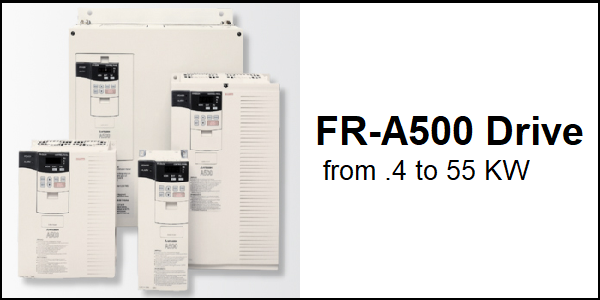
Faults & Alarms
Search from below list for FR-A500 drive faults & alarms:
| Fault Code | Cause & Solution |
|---|---|
| FN Fan fault | Cause: For the inverter, which contains a cooling fan, FN appears on the operation panel when the cooling fan stops due to a fault or operates differently from the setting of Pr. 244 “cooling fan operation selection”. Check point: – Check the cooling fan for a fault. Solution: – Replace the fan. |
| OL Stall prevention (Over current) | Cause: – During acceleration: If a current of more than 150% (Note 5) of the rated inverter current flows in the motor, this function stops the increase in frequency until the overload current reduces to prevent the inverter from resulting in overcurrent shut-off. When the overload current has reduced below 150%, this function increases the frequency again. – During constant: speed operation If a current of more than 150% (Note 5) of the rated inverter current flows in the motor, this function lowers the frequency until the overload current reduces to prevent overcurrent shut- off. When the overload current has reduced below 150%, this function increases the frequency up to the set value. – During deceleration: If a current of more than 150% (Note 5) of the rated inverter current flows in the motor, this function stops the decrease in frequency until the overload current reduces to prevent the inverter from resulting in overcurrent shut-off. When the overload current has reduced below 150%, this function decreases the frequency again. Check point: – Check the motor for use under overload. Solution: – The acceleration time may change. Increase the stall prevention operation level using Pr. 22 “stall prevention operation level” or make the stall prevention inoperative using Pr. 156 “stall prevention operation selection”. |
| oL Stall prevention (overvoltage) | Cause: – During deceleration: f the regenerative energy of the motor increases too much to exceed the brake capability, this function stops the decrease in frequency to prevent overvoltage shut-off. As soon as the regenerative energy has reduced, deceleration resumes. Check point: – Check for sudden speed reduction. Solution: – The deceleration time may change. Increase the deceleration time using Pr. 8 “deceleration time”. |
| PS/P5 PU stop | Cause : PU stop comes when the motor is stopped using STOP/RESET button under the mode other than the PU operation mode. (To enable STOP/RESET button under the mode other than the PU operation mode, set Pr.75 Reset selection/disconnected PU detection/PU stop selection. Solution: – Check for a stop made by pressing STOP/RESET button of the operation panel. |
| RB Regenerative brake prealarm | Cause: This alarm appears if the regenerative brake duty reaches 85% of the value set in Pr. 70 “special regenerative brake duty”. Regenerative overvoltage (E.OV_) occurs if the regenerative brake duty reaches 100%. Check point: – Check that the brake resistor is not used frequently. Solution: – Increase the deceleration time. |
| TH Electronic overcurrent protection prealarm | Cause: This alarm appears if the cumulative value of the electronic overcurrent protection reaches 85% of the preset level. If it reaches 100% of the preset level, motor overload shutoff (E.THM) occurs. Check point: – Check for large load or sudden acceleration. Solution: – Reduce the load volume or the frequency of operation. |
| Err. | Cause: This alarm appears if- – The RES signal is on. – You attempted to set any parameter value in the external operation mode. – You attempted to change the operation mode during operation. – You attempted to set any parameter value outside its setting range. – Normal communication cannot be made between the PU and inverter. – You attempted to set any parameter value during operation (while signal STF or STR is ON). – You attempted to make parameter setting when Pr. 77 “parameter write disable selection” has been set to disable parameter write. Solution: – Perform operation correctly. |
| E.OC1 Overcurrent shut-off during acceleration | Cause: When the inverter output current reaches or exceeds approximately 200% of the rated current during acceleration, the protective circuit is activated to stop the inverter output. – This indication also appears when the start signal is entered with power supplied to the R1 and S1 terminals only. Check pionts: – Check for sudden acceleration. – Check for long descending acceleration time of lift applications. – Check for output short circuit. – Check that main circuit power (R, S, T) is supplied. Solutions: – Increase the acceleration time. (Decrease the descending acceleration time.) – If “E.OC1” is always lit at a start, disconnect the motor once and then start the inverter. If “E.OC1” is still lit, contact your sales representative. – Supply main circuit power (R, S, T). |
| E.OC2 Overcurrent shut-off during constant speed | Cause: When the inverter output current reaches or exceeds approximately 200% of the rated current during constant speed, the protective circuit is activated to stop the inverter output. Check point: – Check for sudden load change. – Check for output short circuit. Solution: – Keep load stable. |
| E.OC3 Overcurrent shut-off during deceleration | Cause: When the inverter output current reaches or exceeds approximately 200% of the rated current during deceleration (other than acceleration or constant speed), the protective circuit is activated to stop the inverter output. Check point: – Check for sudden speed reduction. – Check for output short circuit. – Check for too fast operation of motor’s mechanical brake. Solution: – Increase the deceleration time. – Check mechanical brake operation. |
| E.OV1 Regenerative overvoltage shut-off during acceleration | Cause: A prealarm (RB indication) occurs if the inverter’s internal main circuit DC voltage reaches 85% of the specified value due to regenerative energy. If that voltage reaches or exceeds the specified value, the protective circuit is activated to stop the inverter output. It may also be activated by a surge voltage generated in the power supply system. Check point: – Check for too slow acceleration. (e,g, during descending acceleration with lifting load) Solution: – Decrease the acceleration time. |
| E.OV2 Regenerative overvoltage shut-off during constant speed | Cause: A prealarm (RB indication) occurs if the inverter’s internal main circuit DC voltage reaches 85% of the specified value due to regenerative energy. If that voltage reaches or exceeds the specified value, the protective circuit is activated to stop the inverter output. It may also be activated by a surge voltage generated in the power supply system. Check point: – Check for sudden load change. Solution: – Keep load stable. – Use the brake unit or power regeneration common converter (FR-CV) as required |
| E.OV3 Regenerative overvoltage shut-off during deceleration or stop | Cause: A prealarm (RB indication) occurs if the inverter’s internal main circuit DC voltage reaches 85% of the specified value due to regenerative energy. If that voltage reaches or exceeds the specified value, the protective circuit is activated to stop the inverter output. It may also be activated by a surge voltage generated in the power supply system. Check point: – Check for sudden speed reduction. Solution: – Increase the deceleration time. (Set the deceleration time which matches the inertia moment of the load) – Decrease the braking duty. – Use the brake unit or power regeneration common converter (FR-CV) as required |
| E.THM Motor overload shut-off | Cause: The electronic overcurrent protection in the inverter detects motor overheat due to overload or reduced cooling capability during constant-speed operation. When 85% of the preset value is reached, pre-alarm (TH indication) occurs. When the specified value is reached, the protective circuit is activated to stop the inverter output. When a special motor such as a multi-pole motor or two or more motors are run, provide a thermal relay in the inverter output side since the motor(s) cannot be protected by the electronic overcurrent protection. Check point: – Check the motor for use under overload. Solution: – Reduce the load weight. – For a constant-torque motor, change the Pr. 71 setting to the constant-torque motor setting. |
| E.THT Inverter overload shut-off | Cause: If a current of more than 150% of the rated output current flows and overcurrent shut-off does not occur (200% or less), inverse-time characteristics cause the electronic overcurrent protection to be activated to stop the inverter output in order to protect the output transistors. (Overload immunity 150%, 60s.) Check point: – Check the motor for use under overload. Solution: – Reduce the load weight. |
| E.IPF Instantaneous power failure protection | Cause: If a power failure occurs for longer than 15ms (this also applies to inverter input shut-off), the instantaneous power failure protective function is activated to stop the inverter output in order to prevent the control circuit from malfunctioning. At this time, the alarm warning output contacts open (across terminals B-C) and close (across terminals A-C). (Note 2) If a power failure persists for longer than 100ms, the alarm warning output is not provided, and the inverter restarts if the start signal is on upon power restoration. (The inverter continues operating if an instantaneous power failure is within 15ms.) Check point: – Find the cause of instantaneous power failure occurrence. Solution: – Remedy the instantaneous power failure. – Prepare a backup power supply for instantaneous power failure. – Set the function of automatic restart after instantaneous power failure. |
| E.UVT Undervoltage protection | Cause: If the power supply voltage of the inverter reduces, the control circuit will not operate properly and will result in decreased motor torque or increased heat generation. To prevent this, if the power supply voltage reduces below 150V (about 300V for the 400V class), this function stops the inverter output. – When a jumper is not connected across P-P1, the undervoltage protective function is activated. Check point: – Check for start of large-capacity motor. – Check that a jumper or DC reactor is connected across terminals P-P1. Solution: – Corrective action Check the power supply system equipment such as power supply. – Connect a jumper or DC reactor across terminals P-P1. |
| E.FIN Fin overheat | Cause: If the heatsink overheats, the temperature sensor is actuated to stop the inverter output. Check point: – Check for too high ambient temperature. – Check for heatsink clogging. Solution: – Set the ambient temperature to within the specifications. |
| E.GF Earth Fault | Cause: Output side earth (ground) fault overcurrent protection. This function stops the inverter output if an earth (ground) fault overcurrent flows due to an earth (ground) fault which occurred in the inverter’s output side (load side). Check point: – Check for an earth (ground) fault in the motor and connection cable. Solution: – Remedy the earth (ground) fault portion. |
| E.OHT External thermal relay operation | Cause: If the external thermal relay designed for motor overheat protection or the internally mounted temperature relay in the motor switches on (contacts open), the inverter output is stopped. If the relay contacts are reset automatically, the inverter will not restart unless it is reset. Check point: – Check for motor overheating. – Check that the value of 7 (OH signal) is set correctly in any of Pr. 180 to Pr. 186 (input terminal function selection). Solution: – Reduce the load and operating duty. |
| E.BE Brake transistor alarm detection | Cause: If the brake circuit fault has occurred due to damaged brake transistors, etc., this function stops the inverter output. In this case, the inverter power must be switched off immediately. Check point: – Reduce load J. – Check that the frequency of using the brake is proper. Solution: – There is an hardware issue in drive. Need to repair or replace drive. |
| E.OLT Stall prevention | Cause: The running frequency has fallen to 0 by stall prevention activated. (OL while stall prevention is being activated.) Check point: – Check the motor for use under overload. Solution: – Reduce the load weight. |
| E.OPT Option alarm | Cause: Stops the inverter output if two or more communication options are fitted. (Note 4) When the high power factor converter is connected, this alarm appears if an AC power supply is accidentally connected to R, S, T terminals. Check point: – Check that the number of communication options fitted is one. – When the high power factor converter is connected, check for an AC power supply connected to the R, S, T terminals. Solution: – Reduce the number of communication options used to one. – Check the parameter (Pr. 30) setting and wiring. – When the high power factor converter is connected, connecting an AC power supply to the R, S, T terminals may have damaged the inverter. – There is an hardware issue in drive. Need to repair or replace drive. |
| E.OP1 to OP3 Option slot alarm 1 to 3 | Cause: Stops the inverter output if a functional alarm occurs in the plug-in option loaded in the corresponding slot (e.g. communication alarm of the communication option, contact fault of the plug-in option other than the communication option). Check point: – Check for a wrong option function setting and operation. – Check that the plug-in option is connected to the connector securely. (1 to 3 indicates the option slot numbers.) – Check the communication cable for wire breakage. – Check that the termination resistor is fitted properly. Solution: – Confirm the option function setting, etc. – Connect the plug-in option securely. |
| E.PE Corrupt Memry | Cause: Parameter storage device alarm. Stops the inverter output if a fault occurs in the E 2 PROM device which stores parameter settings. Check point: – Check for too many number of parameter write times. Solution: – There is an hardware issue in drive. Need to repair or replace drive. |
| E.PUE Parameter unit disconnection | Cause: This function stops the inverter output if communication between the inverter and PU is suspended, e.g. the operation panel or PU is disconnected, when “2”, “3”, “16” or “17” was set in Pr. 75 “reset selection/disconnected PU detection/PU stop selection”. This function stops the inverter output if the number of successive communication errors is greater than the permissible number of retries when the Pr. 121 ≠ “9999” for RS-485 communication from the PU connector. This function stops the inverter output if communication is broken for the time set in Pr. 122. Check point: – Check for loose fitting of the DU or PU. – Check the Pr. 75 setting. Solution: – Fit the DU and PU securely. |
| E.RET Retry count exceeded | Cause: Description If operation cannot be resumed properly within the number of retries set, this function stops the inverter output. Check point: – Find the cause of alarm occurrence. Solution: – Eliminate the cause of the error preceding this error indication. |
| E.LF Output phase failure protection | Cause: This function stops the inverter output if one of the three phases (U, V, W) on the inverter′s output side (load side) results in open phase. Check point: – Check the wiring (Check the motor for a fault). – Check that the capacity of the used motor is not smaller than the inverter capacity. Solution: – Check the cables properly. – Check the setting of Pr. 251 “output phase failure protection selection”. |
| E.CPU CPU error | Cause: Description If the arithmetic operation of the built-in CPU does not end within a predetermined period, the inverter self-determines it as an alarm and stops the output. Solution: – Make connection securely. – There is an hardware issue in drive. Need to repair or replace drive. |
| E. 1 to E. 3 Fault 1 to Fault 3 Option fault | Cause: The inverter output is stopped if a contact fault occurs at the connector between the inverter and communication option, a fault of the communication option itself, etc. occurs. Check point: – Check that the communication option is plugged in the connector securely. (1 to 3 indicate the option slot numbers.) – Check for excess electrical noises around the inverter. Solution: – Connect the communication option securely. – If there are any devices generating excess electrical noises around the inverter, take measures against noises. – There is an hardware issue in drive. Need to repair or replace drive. |
| E. 6 Fault 6 E. 7 Fault 7 CPU error | Cause: This function stops the inverter output if a communication error occurs in the built-in CPU. Check point: – Check for excess electrical noises around the inverter. Solution: – If there are any devices generating excess electrical noises around the inverter, take measures against noises. – There is an hardware issue in drive. Need to repair or replace drive. |
| E.P24 24VDC power output short circuit | Cause: When the 24VDC power output from the PC terminal is shorted, this function shuts off the power output. At this time, all external contact inputs switch off. The inverter cannot be reset by entering the RES signal. To reset, use the operation panel or switch power off, then on again. Check point: – Check for a short circuit in the PC terminal output. Solution: – Remedy the short circuit portion. |
| E.CTE Operation panel power supply short circuit | Cause: When the operation panel power supply (P5S of the PU connector) is shorted, this function shuts off the power supply output. At this time, the operation panel (parameter unit) cannot be used and RS-485 communication from the PU connector cannot be made. To reset, enter the RES signal or switch power off, then on again. Check point: – Check for a short circuit in the PU connector cable. Solution: – Check the PU and cable. |
| E.MB1 to 7 Brake sequence error | Cause: – The inverter output is stopped when a sequence error occurs during use of the brake sequence function (Pr. 278 to Pr. 285). – If (detected frequency) – (output frequency) has become less than Pr. 285 during encoder feedback or orientation control selected with the FR-A5AP, E.MB1 occurs and the inverter output is stopped. Check point: – Find the cause of alarm occurrence. Solution: – Perform parameter setting check and wiring properly. |
| E.0SD Excessive speed deviation detection | Cause: The inverter output is stopped if the motor speed is increased or decreased due to load, etc. and the motor speed cannot be controled to meet the speed command value during vector control executed with the FR-A5AP. Check point: – Check for sudden load change. Solution: – Take action to avoid sudden load change. |
| E.ECT Wire break detection | Cause: Description The inverter output is stopped if the encoder signal is turned off during orientation, encoder feedback or vector control executed with the FR-A5AP. Check point: – Check for encoder signal wire break. Solution: – Repair wire break. |